 Gestor 3D
Share a link, a Wi-Fi network or a contact
A link code opens your shop, portfolio or social profile. A Wi-Fi code lets guests join the network without typing the password, and email or phone codes start a message or a call straight away.
Generate a code for a link, Wi-Fi network, email address or phone number and download a vector SVG to use on signs, labels and printed parts.
Select link, Wi-Fi, email or phone.
Enter only the details needed for the type you chose.
Export the SVG and scan it as a test before printing or sharing it.
A link code opens your shop, portfolio or social profile. A Wi-Fi code lets guests join the network without typing the password, and email or phone codes start a message or a call straight away.
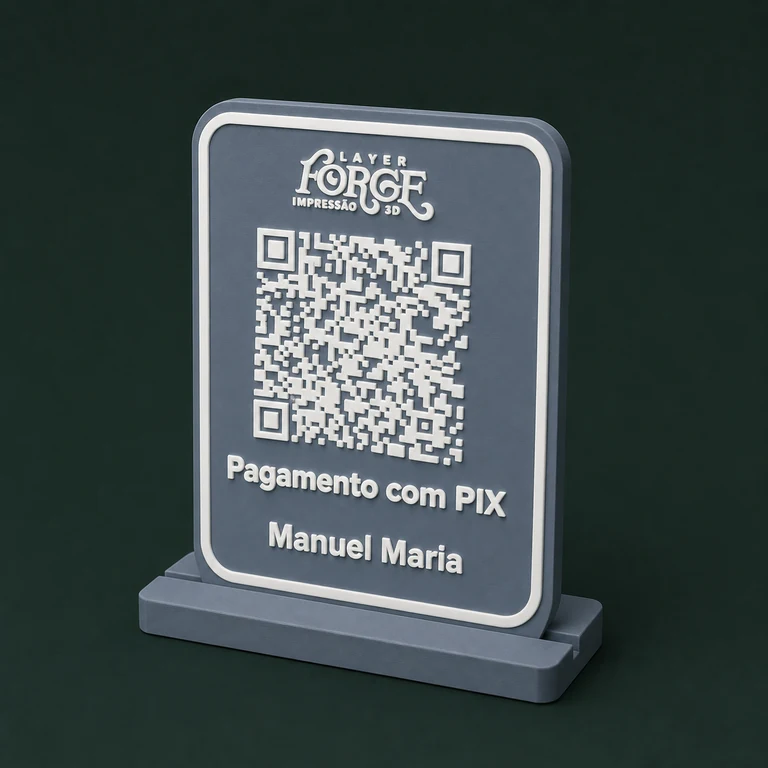
Because the file is a vector, you can take it into your modelling software and prepare it as a relief or inlay, keeping to the minimum size needed for it to scan.
Contrast, size, material and finish all affect scanning. Test the code on screen and again on the physical part before handing it over to the customer.
You can create codes for links, Wi-Fi networks, email addresses and phone numbers. If you sell in Brazil, the generator also creates static Pix payment codes.
Yes. Import the SVG into your modelling software, turn the modules into a relief or cut-out and keep enough contrast and size for it to scan.
No. The content is processed in your browser. Only monthly usage is recorded after a successful generation.
Create your account for free, explore the tools and grow at your own pace.
Generate a QR code