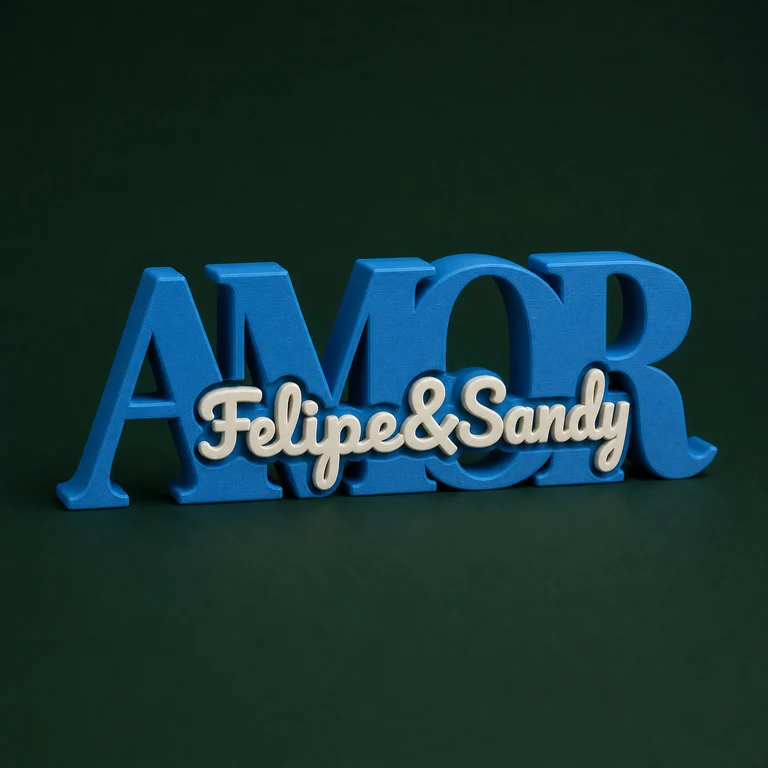
Decide whether the artwork goes on a plaque, a signage panel, a bookmark or a word decoration.
02
Adjust the artwork
Upload the SVG and set the text, dimensions, position, colours and available finish.
03
Review the 3MF
Check the outline, thickness, volumes and orientation in your slicer before printing.
Designs
A fixed panel or a shape that follows the artwork
The signage plate keeps a rectangular body and places the SVG and text in set areas. The adaptive plaque builds the base from the uploaded silhouette, without a ring or connector.
The bookmark keeps a long body suited to its use, while the word decoration combines two text pieces designed to slot together.
Finish
Use raised, cut-out or inlaid finishes depending on the model
Each product offers a different relationship between base and artwork. On some, the design is raised; on others, it is cut into the panel or finishes flush with the surface.
Check the preview and the editor description to understand which volumes will be exported and how to assign their colours.
SVG
Clean outlines improve the adaptive base
When the shape of the part depends on the SVG, loose regions and overly fine details may need extra connections. Simplify the design without removing elements that matter to the identity.
Use the converter to vectorise images and review the file before generating the geometry.
A sign for a counter, wall or door may need tape, screws or a specific holder that is not part of every model. Decide on the mounting before finalising the quote.
On the bookmark, check thickness and flexibility. On decorations, check stability and how the words fit together.
Updated catalogue
Models in this category.
5 models
01
SVG + 5 hooksSubscribers only
Adaptive key holder
Upload an SVG artwork and generate a fixed-width key holder, precisely preserving the five lower hooks.
 Gestor 3D